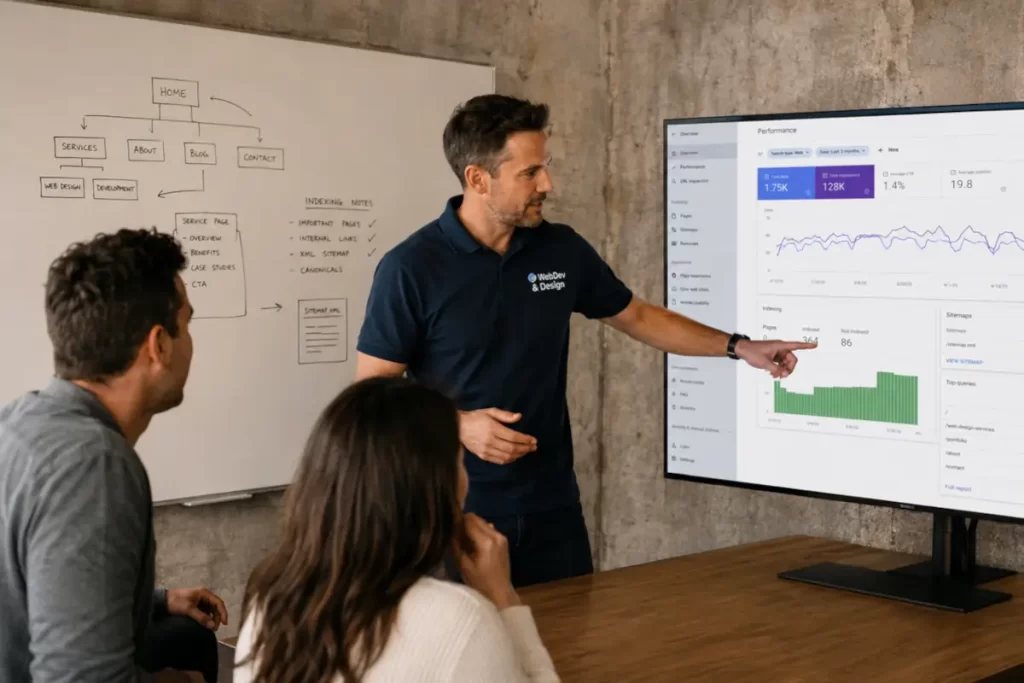
Master Google Search Console:
Like a Pro, Stop Guessing Your SEO
Why this matters (and why most teams misuse GSC)
If you only open Google Search Console when traffic dips, you are leaving ranking, revenue, and resilience on the table. GSC is not a fire alarm. It is the cockpit. This tutorial is a hand on, end-to-end workflow you can run every week to find growth, prevent drops, and deliver fixes. It is long, because it is meant to replace scattered docs and guesswork. No fluff. Just the exact actions that move a site.
What you will be able to do by the end
- Set up properties and access so you do not poison months of data.
- Read performance data correctly and avoid common traps in clicks, impressions, position, and CTR.
- Use regex filters to segment intent, brand, and content clusters in seconds.
- Debug indexation at single URL and sitewide scale with the URL Inspection tool and API.
- Turn the Page indexing and Crawl stats reports into a prioritized backlog.
- Improve real user experience with Core Web Vitals using the field data GSC exposes.
- Ship better sitemaps and faster discovery paths for new content.
- Unlock rich features with Video indexing and Search appearance slices.
- Automate weekly reporting with the Search Analytics API.
- Run migration, international, and media heavy site checklists without losing sleep.
1) Set up that does not break later
Create the right property types
- Domain property. Covers every protocol, subdomain, and path. Choose this for nearly all sites. Verify via DNS.
- URL prefix property. Good for edge cases like microsites, apps on subfolders, or when an external partner needs limited access.
Verification and access that survive redesigns
- Prefer DNS verification so theme, CMS, CDN, or tag changes do not de-verify owners.
- Keep at least one backup verification method on a URL prefix (HTML tag or file).
- Grant least privilege roles. Only actual owners need Owner. Use Full for day to day SEOs and devs.
- Turn on email alerts so issues never hide in the UI.
Sitemaps on day one
- Submit a clean XML sitemap, and also list it in robots.txt using the Sitemap directive. This helps discovery and lets you monitor processing errors in the Sitemaps report.
Staging and experiments
- Put staging behind auth or noindex and verify it as a separate property so you can test without polluting production.
2) Read GSC numbers the way Google defines them
Before you act, understand what you are seeing.
- Click. A click on any search result that leads to your property.
- Impression. Your result was rendered on a search result page or surfaced in a carousel. Edge cases apply.
- Average position. The topmost position of your property for a query, averaged over all impressions. These are property level aggregates. Do not read them like a rank tracker.
Common traps
- Newest data can be preliminary. Compare 28 days vs prior 28 days and avoid reacting to 1 to 2 day noise.
- CTR depends on the layout of the result page, not just your title. If News, Video, or AI features push results down, your CTR can drop even when position improves.
Segment first, then decide
Use the Performance report toggles:
- Search type: Web, Image, Video, News.
- Device: desktop, mobile.
- Country and page path filters.
- Search appearance slices to spot rich result wins or losses.
3) Regex filters that turn chaos into clear intent
The Performance report supports regular expressions, including “does not match”. Save these filters as your team’s shared library.
Brand vs non brand
- Query matches:
^(webdev\\s*design|webdev|web dev design|wdd)$ - Query does not match: use the same pattern with the “does not match” option for non brand.
Question and how to discovery
- Query matches:
^(who|what|where|when|why|how)\\b
Commercial or local intent
- Query matches:
\\b(price|cost|buy|hire|near\\s*me|best|top|quote|book|schedule)\\b
Cluster by section
- Page matches:
^/services/.*or^/blog/.*
Quick wins from regex
- Queries up and CTR flat. Rewrite titles to answer intent and add FAQ or HowTo schema where appropriate.
- Stable impressions, position up, clicks down. Check if SERP added a new feature type and add the missing format.
Helpful companion reads inside your site: revisit page structure changes described in Web Design Trends in 2025 to improve above the fold clarity, and think strategically about content depth in Industries at risk because of AI to stay visible as SERPs evolve.
4) The Page indexing report is your early warning radar
Open Indexing, then Page indexing. Use the Not indexed tab to triage issues. Typical patterns:
- Discovered, currently not indexed. Google knows the URL but has not crawled it yet. Causes include weak internal links, crawl budget stress, or low perceived value. Create stronger internal links from indexed pages, add the URL to the sitemap, and make sure the template is not thin.
- Crawled, currently not indexed. The URL was fetched but Google did not index it. Improve content uniqueness and E-E-A-T signals, and verify that meta robots is indexable.
- Duplicate without user selected canonical. Google found a similar URL and chose another canonical. Consolidate signals with self referencing canonicals on the preferred URL, consistent internal linking, 301s for near duplicates, and parameter handling. Then use Validate fix.
Why this matters: indexing is a separate system from crawling. Google crawls, then decides whether to include content in the index.
Playbook to resolve duplication at scale
- Export the affected set from Page indexing.
- Crawl the set and group by duplicate clusters using title, canonical, content similarity, and parameters.
- For each cluster, pick a canonical URL and implement:
- self canonical on the canonical page
- canonical to the canonical on alternates
- 301 redirects if alternates should never be rendered
- parameter rules in your router or via rel=canonical if you must keep parameters
- Regenerate sitemaps so only canonical URLs are listed.
- Use Validate fix and monitor over 14 to 28 days.
5) Debug single URLs like a pro with the URL Inspection tool and API
Use the URL Inspection tool when a page is important or urgent. You can read the last crawl date, Google selected canonical, robots rules, index status, and any structured data issues. You can also test a live URL to see if it is indexable now, then request indexing.
For launches and migrations, automate checks with the URL Inspection API:
- It returns Google’s indexed status and canonical decision for a given URL.
- You can monitor a set of critical pages daily and alert on regressions.
Pseudo workflow:
for url in critical_urls:
    result = urlInspection.index.inspect(url)
    if result.indexStatusResult.coverageState not in ["Indexed"]:
        alert(url, result.indexStatusResult)
Many crawling tools have built in connectors and handle daily quotas for you, which makes bulk checks simple during site moves.
After you deploy a fix, use Validate fix in Page indexing so Google rechecks the sample set and emails progress updates.
6) Core Web Vitals in GSC: field data, not a lab test
GSC’s Core Web Vitals report uses Chrome UX Report field data to group your URLs into patterns for LCP, INP, and CLS on mobile and desktop. Start there to find patterns, then run PageSpeed Insights for page level diagnostics, and fix at component or template level.
A fast 3 step loop
- Pick a failing URL group in GSC.
- Test a few sample URLs in PSI to see which components hurt LCP or INP.
- Fix at the template level: image widths and formats, font loading, hydration boundaries, third party scripts. Validate in GSC and retest after deploy.
7) Crawl stats: convert server health into SEO capacity
Crawl Stats shows total requests, response types, response time, and file type share. Use it to answer two questions.
- Are we fast enough to be crawled deeply during updates
- Did we break something under load
Watch for spikes in 5xx or a rising average response time. Investigate origin performance, cache hit rate, and WAF or bot protection rules. The report includes host status and fetch by response code that make root cause analysis much faster.
Capacity pattern to aim for
- Lower average response time over time
- Stable or higher crawl requests during content pushes
- Low 5xx share even during deploys
If crawl requests are low and you publish often, improve internal linking and freshness. Sitemaps alone cannot compensate for a thin link graph.
8) Sitemaps that Google actually uses
Good sitemaps are simple. Great sitemaps are selective.
- Include only indexable 200 URLs.
- Update lastmod when content changes materially.
- Split large sites by type or freshness so Google can triage efficiently.
- Link sitemaps from robots.txt and submit in GSC. For automated pipelines, submit via the Search Console API.
9) Search appearance and Video indexing: capture more real estate
Search appearance filters in Performance show how special result types behave. Use them to detect when rich results drop after a deploy. Video indexing in GSC tells you how many videos are eligible for video features, plus why some are not. This is essential for publishers, course libraries, and ecommerce with product videos.
Video indexing quick fixes
- Ensure Google can find the video file, not just the player.
- Provide a static thumbnail URL and structured data.
- Avoid lazy loading that hides the video element from the initial HTML.
10) Automate reporting with the Search Analytics API
The searchanalytics.query method lets you pull queries, pages, countries, devices, and dates programmatically. Blend this with your analytics or CRM to close the loop on conversions. It is perfect for building Looker Studio or BigQuery pipelines for weekly executive dashboards.
Useful extracts to schedule:
- Top opportunity queries: impressions up week over week, CTR flat, positions on page 1 to 2.
- Cannibalization watchlist: multiple pages receiving impressions for the same query.
- International gaps: high impressions by country without matching localized pages or hreflang.
11) A 90 minute weekly routine that compounds
15 minutes: anomalies
- Performance report. Compare last 28 days vs previous 28 by page folder. Look for pages with impressions up but CTR stagnant.
- Search appearance slice. Check whether rich results dipped.
- Crawl stats. Scan response time, 5xx spikes.
45 minutes: fixes and experiments
- Rewrite 3 to 5 titles and meta descriptions to match intent evident in top queries.
- Add one structured data type that your pages deserve. If FAQs are the intent, mark them up and test.
- Improve above the fold clarity and loading on at least one template. Tie actions to Core Web Vitals.
30 minutes: indexing
- Work the Page indexing backlog. Resolve one issue category and click Validate fix.
- Run URL Inspection on 10 critical URLs you changed. If all green, ship more changes.
12) Launch and migration checklist
Before
- Map every old URL to the best new URL with 301s.
- Keep canonical signals consistent with the redirects you ship.
- Review robots.txt for accidental disallows.
- Generate fresh sitemaps for the new structure only.
During
- Monitor Crawl stats for 5xx or response time spikes.
- Check Page indexing for canonical mismatches.
- Inspect a sample of key URLs and request indexing.
After 7 to 14 days
- Compare Performance by page folder against prior period.
- Continue to validate fixes in Page indexing.
- Expand internal links to new high intent pages.
13) International and local sites
- Create a Domain property for the root and URL prefix properties for country or language subfolders if your team structure demands it.
- Use hreflang signals that agree with canonicals.
- Segment Performance by country and page path, then build localized landing pages for the queries that already show demand.
14) Advanced triage patterns
CTR fell, position steady
- Check the SERP for new formats. If video or news modules appear above, consider adding the missing format.
- Tighten titles. Move the leading noun closer to the query and test curiosity without clickbait.
Impressions collapsed for a set of URLs
- Check Page indexing for the affected folder. Look for systemic issues like noindex inheritance, blocked resources, or server instability.
- Read Crawl stats by response type for correlated error spikes.
Position improved, clicks did not
- The SERP layout may hide results below folds. Evaluate whether a featured snippet or FAQ could move you up visually.
15) Your reusable regex library
Copy these into your team wiki. Adjust for your brand and product language.
Brand exact and near:
^(wdd|web\sdev\sdesign|webdev\s*design|webdev)$

Question intents:
^(who|what|where|when|why|how)\b

Commercial verbs:
\b(buy|price|cost|quote|hire|book|schedule|download|demo)\b

Local modifiers:
\bnear\s*me|in\s+[a-z\s]+$|[0-9]{5}\b

Cluster by path:
^/services/.* ^/blog/.* ^/docs/.* ^/courses/.*
16) Team checklists you can paste into tickets
When publishing new content
- Unique title plus H1 that answers the query in the first 100 words.
- Internal links from at least 3 relevant pages.
- Image with descriptive filename and alt text.
- Structured data where applicable.
- Add to sitemap, ping Search Console, and inspect URL.
When fixing slow templates
- Largest above the fold image preloaded and sized.
- Fonts subset and swap strategy with minimal FOIT.
- Third party scripts audited and deferred.
- Validate in PSI and recheck in Core Web Vitals.
17) FAQ in natural language
Why do my GSC averages not match rank trackers
GSC aggregates by property and by the topmost position across impressions. Rank trackers take a single location and a single moment in time. Use GSC for direction and trend, trackers for spot checks.
How soon will a fix reflect in reports
Crawl, index, and serving systems operate asynchronously. Small fixes can take days. Template level changes and large migrations usually need several weeks. Use Validate fix to speed rechecks for specific issues.
Should I split sitemaps
Yes for large sites. Separate by type or freshness so Google discovers what changed faster. Always list only indexable 200 URLs.
Is Core Web Vitals a ranking system
Core Web Vitals are a set of user experience metrics that align with what Google’s core ranking systems try to reward. They are not the only factor, but they matter for users and rankings.
Sources
- Google Search Console — Performance report & regex filters: https://support.google.com/webmasters/answer/7576553
- Search Central — Build & submit sitemaps: https://developers.google.com/search/docs/crawling-indexing/sitemaps/build-sitemap
- Core Web Vitals in Search results: https://developers.google.com/search/docs/appearance/core-web-vitals
- Crawl Stats report: https://support.google.com/webmasters/answer/9679690
- URL Inspection API: https://developers.google.com/webmaster-tools/v1/urlInspection.index/inspect